- 1. Every Agent Starts as a Loop
- 2. Gear up Your Agent
- 3. Pack the Conversation And Carry On
- 4. Beyond the CLI
- 5. Many of Them
- 6. Agents are Running, Your are Sleeping
- 7. More Context! More Context!
All code snippets and working code bases are available at this repo.
Every Agent Starts as a Loop
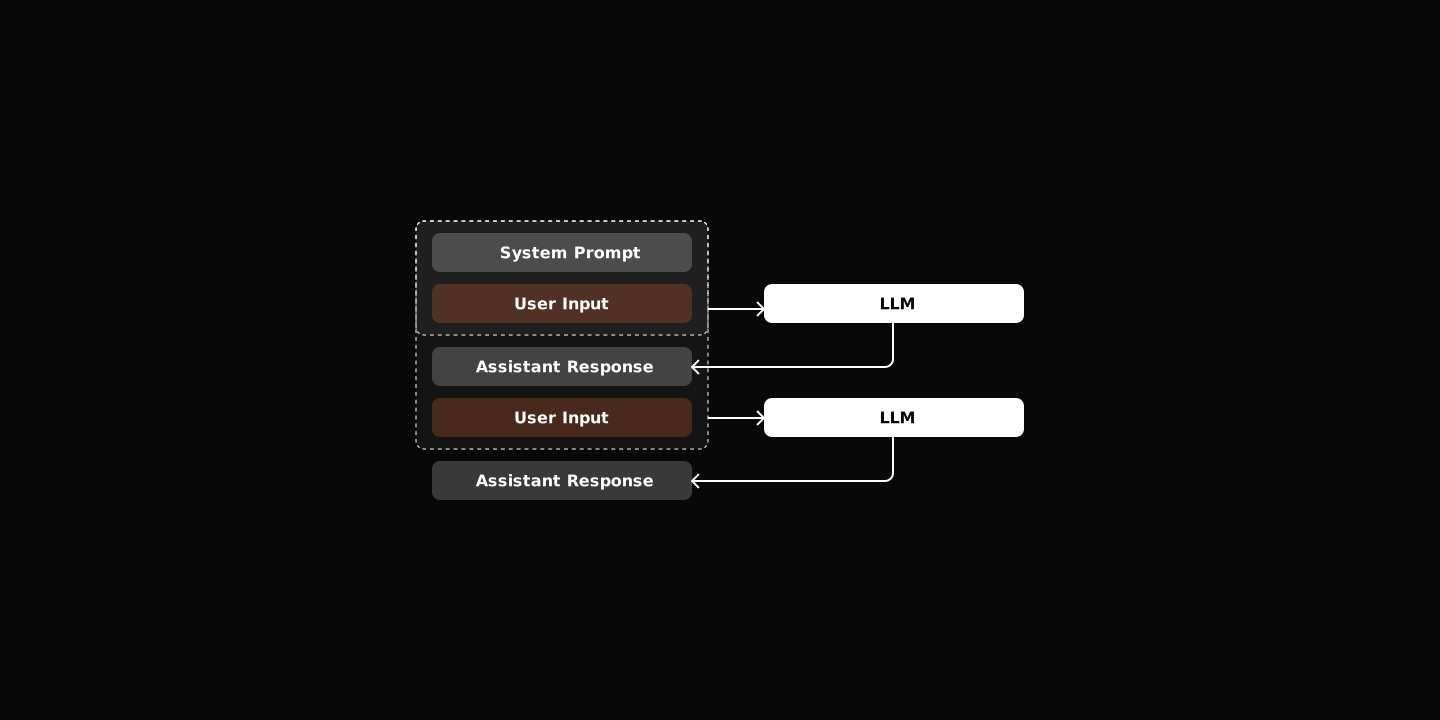
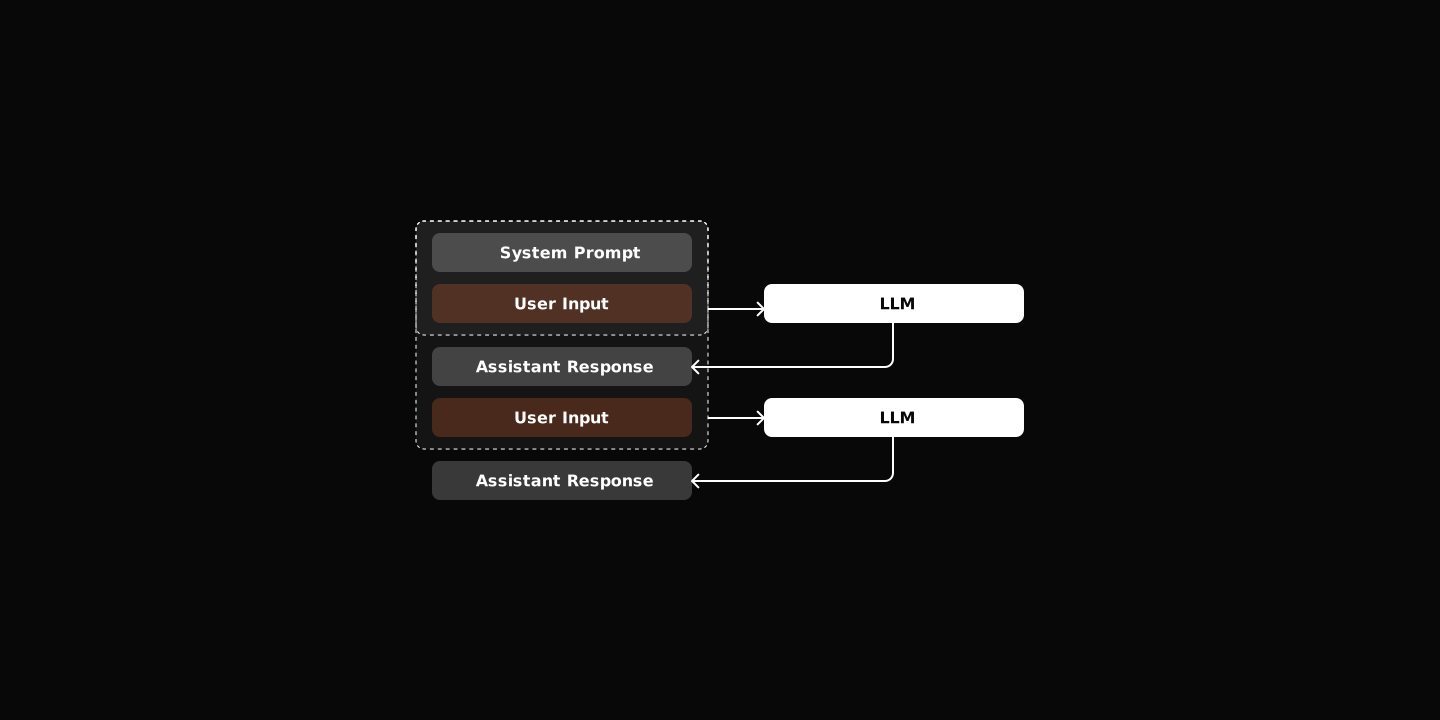
Strip away the buzzwords, and an agent is just a chat loop that sometimes executes code. The core is maybe 20 lines:
while True:
    user_input = await get_user_input()
    response = await session.chat(user_input)
    display(response)
That’s it. No magic. The session.chat() method sends messages to the LLM and returns the response. You already know this pattern.
Tools Transform Talk into Action
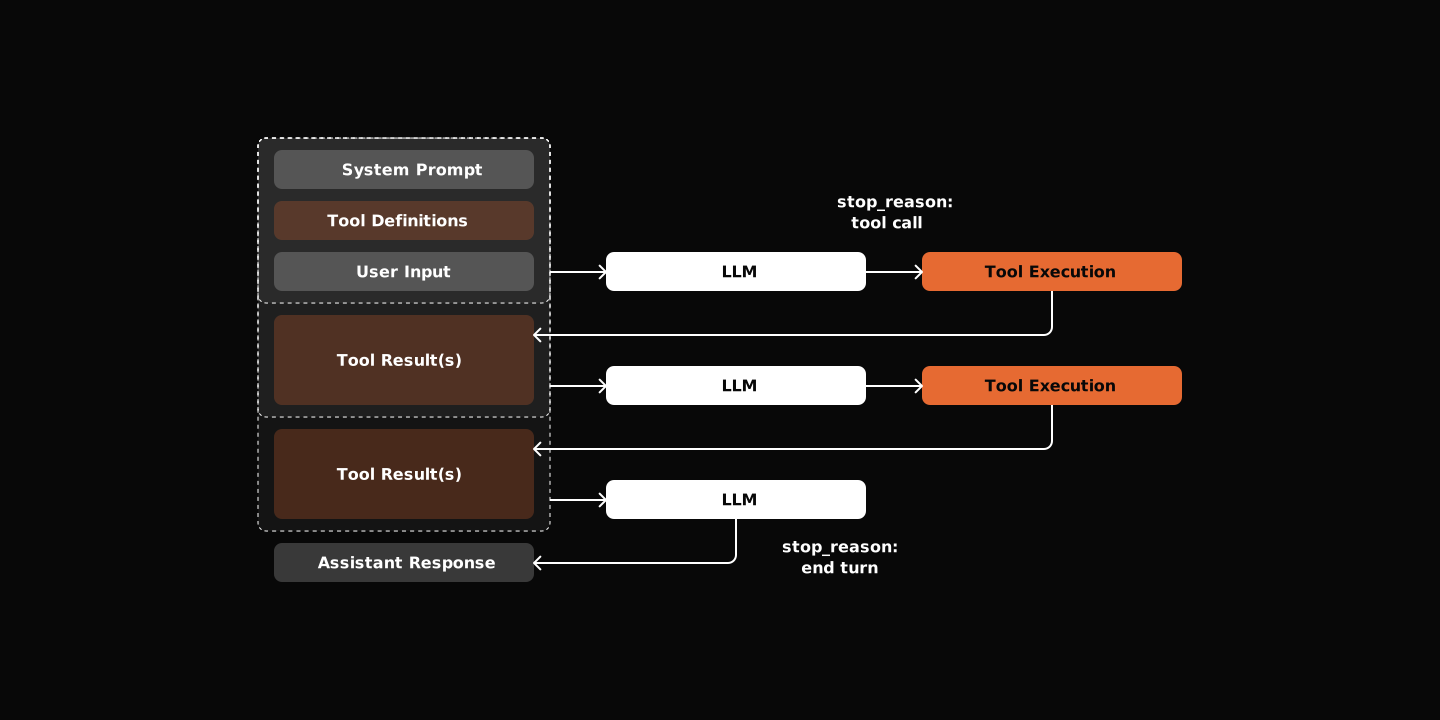
What makes an “agent” different from a “chatbot” is tools calls. The LLM decides when to use them. Your job is to define what tools exist and how to run them.
The pattern is simple, define a tool schema, let the LLM decide when to call it, execute it, feed the result back.
class BaseTool(ABC):
    name: str
    description: str
    parameters: dict[str, Any]

    @abstractmethod
    async def execute(self, session, **kwargs) -> str:
passdescriptiontell the LLM what the tool does.parametersschema tells the what arguments to provide.executemethod is your implementation.
The Tool Calling Loop
When the LLM wants to use a tool, it returns a tool_calls list instead of text and emit stop_reaonson as tool_use at the same time. Your agent executes each tool, adds the results to the message history, and calls the LLM again. This continues until the LLM responds with text.
while True:
    messages = self.state.build_messages()
    content, tool_calls = await self.llm.chat(messages, tool_schemas)
    if not tool_calls:
        break

    await self._handle_tool_calls(tool_calls)
Start Minimal
You don’t need dozens of tools. Read, Write, and Bash are enough to start. These let your agent ability to write and execute code, everything else builds on this foundation.
Next Steps
Start from the beginning | Next: Gear up Your Agent
⭐ Star the repo if you found this series helpful!
Related
2. Gear up Your Agent
by a Developer
Mar 2026
by a Developer
agent
ai
Understand OpenClaw by Building One - Part 2
3. Pack the Conversation And Carry On
by a Developer
Mar 2026
by a Developer
agent
ai
Understand OpenClaw by Building One - Part 3
4. Beyond the CLI
by a Developer
Mar 2026
by a Developer
agent
ai
Understand OpenClaw by Building One - Part 4
5. Many of Them
by a Developer
Mar 2026
by a Developer
agent
ai
Understand OpenClaw by Building One - Part 5